Electrical Safety and Cable Management for Small Mining Farms
Small mining farms often begin with a few ASIC miners or GPU rigs in a spare room, garage, workshop, or dedicated outbuilding. As more equipment is added, however, the electrical load, heat output, cable density, and fire risk can increase quickly. Good planning is essential for protecting people, equipment, and the building.
Electrical work should comply with local building and electrical regulations. Requirements differ by country and may cover circuit capacity, grounding, residual-current protection, cable installation, ventilation, and fire safety. When installing new circuits or modifying a distribution board, use a licensed electrician who understands continuous high-load equipment.
Plan the Electrical Load Before Installing Miners
Mining hardware can operate for long periods with little interruption, making it a demanding type of electrical load. The total demand includes miners, power supplies, network equipment, ventilation fans, lighting, monitoring systems, and cooling equipment. Calculate the expected load from the nameplates and manufacturer documentation rather than relying on estimates based only on the number of devices.
Do not treat a wall outlet, power strip, or extension lead as if it were automatically suitable for mining. The circuit, protective device, socket, plug, cable, and distribution equipment must all be appropriate for the expected load and operating environment. A circuit that appears to work initially may develop dangerous heat at terminals or connections over time.
Leave appropriate capacity for startup conditions, temperature-related derating, and future expansion. An electrician can assess whether the service entrance, distribution board, breakers, conductors, and outlets are suitable. Never increase a breaker rating simply because a breaker trips; the conductor and entire circuit must support the new protection level.
Use Suitable Circuits, Protection, and Grounding
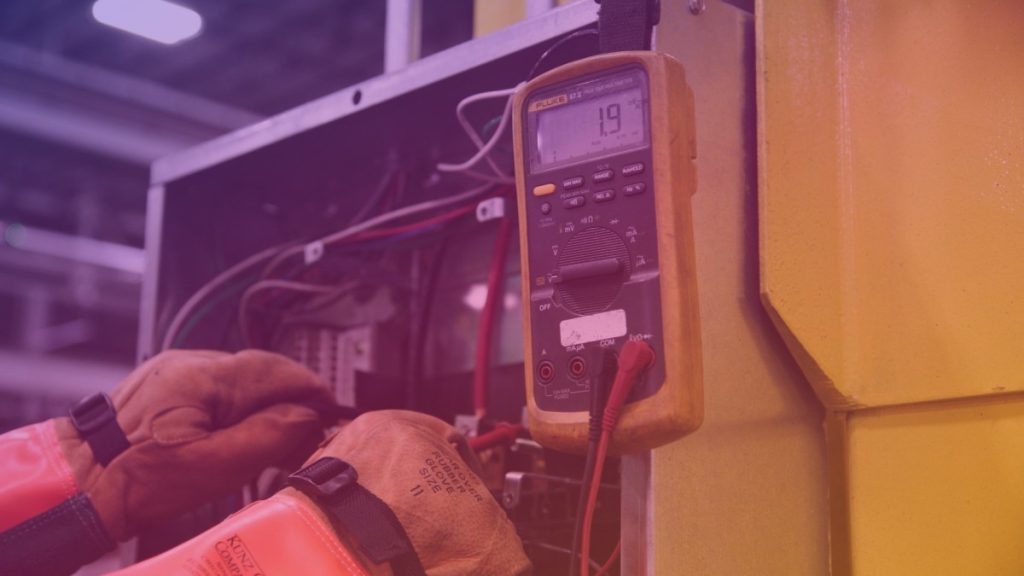
Mining equipment should be connected to properly grounded circuits with overcurrent protection appropriate to the installation. Grounding provides a path for fault current and helps protective devices disconnect power when a fault occurs. Never remove or defeat a grounding pin, use an improvised adapter, or operate equipment with damaged plugs.
Residual-current devices, also called ground-fault circuit interrupters in some regions, can reduce the risk of electric shock by disconnecting a circuit when leakage is detected. Their use depends on local rules and the equipment design. Some power supplies may cause nuisance trips, so protection should be selected and installed by a qualified professional rather than bypassed.
Surge protection may help reduce damage from voltage disturbances, but it is not a substitute for correct grounding, circuit protection, or lightning protection. A small uninterruptible power supply can support networking and monitoring equipment, but it is generally not a practical way to power a large bank of miners during an outage.
Cable Management for Safer Mining Rooms
Good cable management is more than making a mining room look tidy. It reduces trip hazards, prevents cables from resting against hot surfaces, improves airflow, and makes inspection and emergency isolation easier. Separate power cables from data cables where practical, and keep both away from walkways, moving fan blades, sharp metal edges, and areas where water may collect.
| Management area | Practical approach | Safety benefit |
|---|---|---|
| Power cables | Route them along protected paths and secure them with suitable cable supports. | Reduces trip damage, strain on plugs, and accidental disconnection. |
| Data cables | Keep Ethernet and other signal cables organized separately from high-current power wiring where practical. | Improves serviceability and reduces clutter around power equipment. |
| Hot surfaces | Keep insulation, cable jackets, and connectors away from exhaust outlets, radiators, and overheated power supplies. | Reduces heat-related degradation and fire risk. |
| Connectors | Ensure plugs and terminals are fully seated and supported without excessive bending or pulling. | Helps prevent high-resistance connections and localized heating. |
| Walkways | Use overhead, wall-mounted, or protected floor routes instead of loose cables across access paths. | Limits trips and prevents mechanical damage. |
| Identification | Label circuits, miners, power supplies, and emergency isolation points clearly. | Speeds troubleshooting and shutdown during an incident. |
Use cable trays, conduit, raceways, or purpose-designed supports where appropriate. Choose fixings that do not crush the cable jacket, and avoid sharp cable ties pulled so tightly that they deform insulation. Velcro-style wraps can be useful for grouped low-voltage cables, while permanent electrical wiring should be installed using methods approved for the location.
Prevent Overheating and Maintain Airflow
Heat is one of the main operational hazards in a mining farm. ASIC miners and GPU systems convert most of their electrical input into heat, and poor airflow can raise temperatures around equipment, cables, connectors, and power supplies. Arrange equipment so that hot exhaust air does not feed directly into a miner’s intake.
Keep cable bundles from blocking intake grilles, exhaust paths, filters, or cooling fans. Avoid placing power supplies directly on dusty floors, near condensation, or in restricted spaces. Dust buildup can reduce cooling performance and contribute to overheating, so establish a safe inspection and cleaning routine based on the environment.
Temperature monitoring should cover both the hardware and the room. Alerts can identify rising temperatures, failed fans, or abnormal conditions before damage occurs. Software monitoring is helpful, but it should not replace physical inspections of plugs, outlets, cables, and distribution equipment.
Inspect Plugs, Outlets, and Connections

Regularly inspect for discoloration, melted plastic, unusual odor, buzzing, crackling, loose plugs, damaged insulation, or breakers that trip repeatedly. A warm connector can indicate excessive load, a loose terminal, contamination, or a failing component. Stop using the affected circuit and have it examined by a qualified electrician.
Do not connect multiple power strips or extension leads in a chain. Avoid inexpensive products with unclear ratings, especially in hot, dusty, or industrial environments. If an extension lead is unavoidable for temporary testing, it must be suitable for the load, fully uncoiled where required by its design, protected from damage, and removed once a proper installation is available.
Prepare for Fire and Emergency Situations
Keep suitable fire detection near the mining area and ensure exits and electrical isolation points remain accessible. The correct extinguisher type depends on local fire-safety rules and the equipment in the room; water should not be used on energized electrical equipment. Everyone who may enter the area should know how to disconnect power safely without approaching a damaged or burning device.
Consider a clearly marked emergency shutoff that can isolate the mining equipment while keeping essential safety or building systems operational where required. Do not obstruct the electrical panel, and maintain clear access around it. A written shutdown procedure should identify the main disconnect, individual circuits, ventilation controls, and the steps for contacting emergency services.
Use a Routine Maintenance Checklist
- Check cables, plugs, outlets, and power strips for heat damage, looseness, or discoloration.
- Confirm that cable routes remain clear of fans, hot exhaust, water, and walkways.
- Inspect filters, fans, and ventilation paths for dust accumulation.
- Review temperature, power, and hardware alerts from the monitoring system.
- Confirm that breakers, disconnects, and emergency access points are labeled and unobstructed.
- Record faults and repairs instead of repeatedly resetting a tripped breaker.
Perform inspections more frequently in dusty workshops, humid environments, or rooms with large temperature changes. Any sign of arcing, smoke, burning odor, melted insulation, or repeated electrical trips should be treated as urgent. Shut down equipment safely and obtain professional assistance.
Conclusion
Electrical safety should be designed into a small mining farm before the first expansion creates a crowded and difficult-to-service installation. Proper circuit planning, grounding, protective devices, airflow, cable routing, labeling, and routine inspection work together to reduce risks.
Efficient cable management also improves uptime because faults are easier to locate and equipment can be isolated without disturbing the entire farm. Treat mining hardware as a continuous high-load installation, follow local requirements, and involve a qualified electrician whenever the work goes beyond simple, approved equipment connections.
Frequently Asked Questions
Can I run mining hardware from ordinary household outlets?
It depends on the circuit design, equipment load, outlet rating, wiring condition, and local electrical rules. A qualified electrician should verify that the circuit can support the continuous demand without overheating or violating code requirements.
Are power strips safe for a small mining farm?
Only if they are properly rated, undamaged, correctly grounded, and used within their intended limits. Do not daisy-chain power strips or use them to compensate for inadequate fixed wiring. For a permanent installation, dedicated circuits and suitable distribution equipment are generally safer.
How should mining cables be routed?
Route cables away from heat, water, sharp edges, moving fans, and walkways. Use appropriate trays, conduit, or supports, avoid crushing the insulation, and leave connectors accessible for inspection. Keep cable bundles from blocking equipment intakes and exhausts.
What should I do if a plug or cable becomes hot?
Stop using the affected equipment or circuit if it can be done safely, and do not repeatedly reset a breaker or continue operating the connection. A hot plug or cable may indicate overload, a loose terminal, damaged equipment, or poor contact. Have the installation inspected by a qualified electrician.