How to Choose the Right Power Supply (PSU) for a Mining Rig
The power supply unit (PSU) is one of the most important components in a cryptocurrency mining rig. It converts electricity from the wall outlet into the stable direct current required by graphics cards, motherboards, storage devices, fans and other hardware. A poor-quality or undersized PSU can cause instability, unexpected shutdowns, hardware damage and unnecessary electricity costs.
Choosing the right PSU involves more than checking its advertised wattage. Miners should consider real power consumption, efficiency, connector availability, electrical safety, operating conditions and future upgrades. The correct choice depends on the complete rig rather than on the graphics cards alone.
Calculate the Rig’s Actual Power Requirement
Start by adding the power requirements of every major component. Graphics cards are usually the largest consumers, but the motherboard, processor, memory, storage, riser adapters, cooling fans and other accessories also draw power. The figure printed on a GPU’s specification sheet is a useful starting point, but measured system consumption is more informative when available.
Power usage can vary according to the mining algorithm, software settings, overclocking, undervolting and operating temperature. A card configured for efficient mining may consume less power than its default rating, while an aggressive setting can increase consumption. Measure the complete system at the wall with a suitable power meter whenever possible.
A PSU should not normally operate continuously at its absolute maximum rating. Select a unit that leaves reasonable headroom above the rig’s sustained consumption, especially if the system may be upgraded later or if the mining software can create short power spikes. Headroom also helps reduce thermal stress and fan noise.
PSU Selection Criteria at a Glance
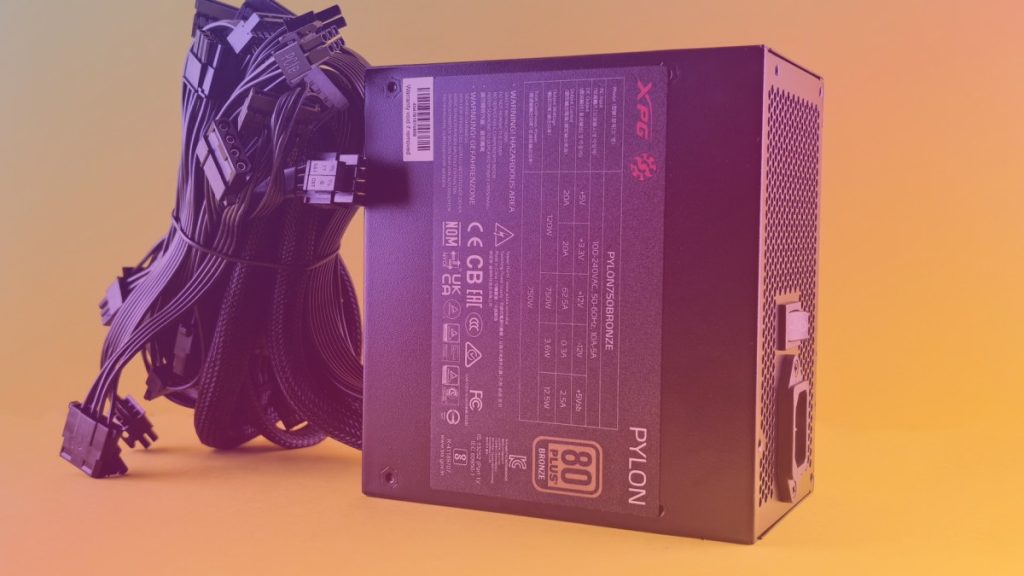
| PSU characteristic | What to check | Why it matters for mining |
|---|---|---|
| Rated output | Continuous wattage for the complete rig | Prevents overloads and leaves capacity for normal power variation |
| Efficiency certification | Recognized efficiency level from a reputable manufacturer | Reduces wasted electricity and excess heat during continuous operation |
| Connectors | Enough compatible PCIe, CPU and motherboard cables | Allows safe connection without adapters or overloaded leads |
| Build quality | Reputable brand, protections and suitable warranty | Improves reliability in a demanding 24-hour environment |
| Electrical input | Compatibility with the local voltage, plug and circuit | Helps prevent installation problems and circuit overloads |
Choose the Correct PSU Type
Standard ATX PSUs
ATX power supplies are familiar, widely available and convenient for small or medium-sized rigs. They usually provide connectors for the motherboard, processor and graphics cards, and modular models can reduce cable clutter. A high-quality ATX unit is often the simplest option when the rig uses a conventional PC case or open-frame chassis.
Check the number and type of PCIe connectors before buying. Some graphics cards require multiple connectors, and using inexpensive splitters or adapters can create extra points of failure. Each cable and connector should be appropriate for the expected current, and the manufacturer’s instructions should be followed.
Server-Style PSUs
Server PSUs are popular for larger mining installations because they can offer high output in a compact enclosure. They are often designed for continuous operation and may be available at attractive prices on the used market. However, many models require breakout boards or specialized cables to connect mining hardware.
Compatibility and condition are especially important with used server equipment. Confirm the input voltage, connector design, fan behavior, protection features and output specifications before installation. A server PSU that is technically powerful but poorly adapted to the rig can be less practical than a conventional ATX unit.
Dual-PSU Configurations
Two PSUs can be used when one unit does not provide enough suitable connectors or capacity. The arrangement must be synchronized so that both units start and stop together. If one PSU powers the graphics cards while another powers the motherboard or risers, incorrect sequencing can create instability or damage.
Dual-PSU solutions should be planned carefully rather than assembled with random adapters. The grounding arrangement, synchronization hardware and cable layout all matter. For many miners, one suitably sized, high-quality PSU is easier to manage and troubleshoot.
Pay Attention to Efficiency
Mining rigs often run for long periods, so efficiency affects both operating cost and heat output. A more efficient PSU wastes less electricity as heat while delivering power to the components. This can reduce the cooling burden, although the efficiency label alone does not guarantee overall product quality.
Look for a recognized efficiency certification and review independent testing when available. Efficiency changes with load, voltage and temperature, so a certificate should be treated as one part of the decision rather than the only quality indicator. Internal components, voltage regulation, protections and warranty support are also important.
Check Connectors, Rails and Cable Layout
Graphics cards commonly use PCIe power connectors, while the motherboard and processor use separate motherboard and CPU power connections. Count the required connectors before purchasing the PSU, including connections for riser adapters. Do not assume that a PSU’s total wattage means it has enough connectors for every mining configuration.
Use the original cables supplied for that specific PSU model. Modular PSU cables are not universally interchangeable, even when their plugs appear identical. Mixing cables from different units can send power through the wrong pins and destroy components.
Modern PSUs include protection systems such as over-current, over-voltage, short-circuit and over-temperature protection. These features help limit damage during faults, but they cannot compensate for damaged connectors, poor wiring or an overloaded household circuit.
Consider the Electrical Installation
The wall outlet and circuit are part of the PSU decision. A rig may be within the PSU’s rating but still exceed the safe capacity of the outlet, extension lead, power strip or circuit breaker. Electrical standards and household voltage vary by country, so installation should follow local requirements.
Avoid low-quality power strips and daisy-chained extension cables. Inspect plugs, sockets and connectors for discoloration, heat or a loose fit, and stop using any component that shows signs of overheating. For large installations, consult a qualified electrician rather than treating the issue as a simple hardware upgrade.
Plan for Heat, Noise and Maintenance
Mining places a continuous load on the PSU, unlike many desktop workloads that fluctuate significantly. Even a suitable unit can become hot in a poorly ventilated room, which may increase fan speed and shorten component life. Position the PSU so that its intake and exhaust are unobstructed.
Keep dust away from the intake and clean the rig periodically with appropriate equipment. Monitor temperatures, system stability and unusual sounds. A clicking fan, burning smell, repeated shutdown or visibly damaged connector is a reason to power down and investigate immediately.
Common PSU Buying Mistakes
- Choosing a PSU based only on the combined advertised GPU wattage.
- Buying the cheapest high-wattage unit without checking testing, protections or warranty support.
- Using unknown-brand adapters, splitters or modular cables.
- Ignoring the PSU’s compatibility with the local electrical supply.
- Running the unit continuously at its maximum rated output.
- Forgetting the power draw of the motherboard, processor, risers, fans and storage.
Conclusion
The right mining PSU should provide sufficient continuous capacity, suitable headroom, efficient operation, compatible connectors and dependable protection. Begin with measured whole-rig consumption, then evaluate the electrical circuit, operating environment and possible future upgrades.
A reputable, properly installed PSU is usually a better investment than a cheaper unit with uncertain specifications. Since electricity is one of the largest recurring mining expenses, efficiency and reliability should be considered alongside the purchase price. These are general hardware guidelines, not financial, electrical or tax advice; large installations should be assessed by qualified professionals where appropriate.
Frequently Asked Questions
How much PSU capacity does a mining rig need?
The required capacity depends on the complete system’s measured consumption, including graphics cards, motherboard, processor, risers, fans and storage. Choose a reputable PSU with additional capacity above the rig’s sustained demand instead of sizing it exactly to the calculated total.
Is a server PSU better than an ATX PSU for mining?
Neither type is automatically better. Server PSUs can be practical for dense, high-output installations, while ATX PSUs are often easier to install in conventional rigs. Compare connector compatibility, condition, protections, noise, warranty and local availability before choosing.
Can I use two PSUs in one mining rig?
Yes, but the units must be synchronized and wired correctly. Use appropriate synchronization hardware and follow the manufacturers’ instructions. Incorrect startup sequencing or unsuitable adapters can cause instability and component damage.
Should I buy a used mining PSU?
A used PSU can be economical, but its previous workload, age and operating environment may be unknown. Inspect it carefully, verify its specifications and connectors, and avoid units with damaged cables, corrosion, excessive dust, unusual noise or an unclear history.