Electrical Safety and Cable Management for Small Mining Farms
Small mining farms can place a continuous, demanding load on electrical circuits. Several ASIC miners, GPUs, power supplies, network devices and cooling systems may operate around the clock, often in a garage, workshop, office or purpose-built room. Safe operation depends on treating the farm as an electrical installation rather than simply a collection of computers.
Good cable management is part of that safety process. Organised wiring improves airflow, makes inspections easier, reduces accidental disconnections and helps identify overheating or damaged components before they become serious hazards. This article provides general information for miners; local electrical rules and advice from a qualified electrician should always take priority.
Understand the Farm’s Electrical Load
Before installing equipment, list every device that will draw power from the installation. Include miners, power supplies, fans, air conditioners, ventilation equipment, network hardware, lighting and any other devices sharing the same circuits. A circuit that appears suitable for one miner may become overloaded when additional equipment is added.
Use the input power information on each miner and power supply as the starting point for planning. The relevant figure is the electrical input at the supply, not only the advertised hashing performance. Equipment can also draw more power during startup, under different operating modes or when cooling systems are active.
Continuous mining loads require particular care because they remain active for long periods. Do not assume that a circuit is safe merely because a breaker has not tripped. Breakers protect wiring against certain overload conditions, but they do not replace correct load calculation, suitable equipment ratings, proper connections or thermal monitoring.
| Farm element | Primary electrical concern | Safer management practice | What to inspect |
|---|---|---|---|
| Mining hardware | Continuous power demand and heat production | Confirm the input rating and distribute equipment across correctly rated circuits | Unexpected shutdowns, hot connectors, damaged plugs and unusual noise |
| Power supplies | Overheating, poor connections and unsuitable output cables | Use compatible, correctly rated supplies and manufacturer-approved cabling | Discolouration, melting, loose terminals and fan failure |
| Extension leads and adapters | Overload, voltage drop and concealed connection damage | Minimise their use and never daisy-chain power strips or adapters | Warm surfaces, damaged insulation and loose plugs |
| Distribution equipment | Uneven loading and inadequate protection | Use suitable PDUs, breakers and residual-current protection where required locally | Breaker operation, terminal temperature and secure mounting |
| Cooling and ventilation | Additional load, blocked airflow and dust accumulation | Plan cooling as part of the electrical design and keep air paths clear | Fan performance, filters, hot spots and dust buildup |
Use Suitable Circuits and Protection
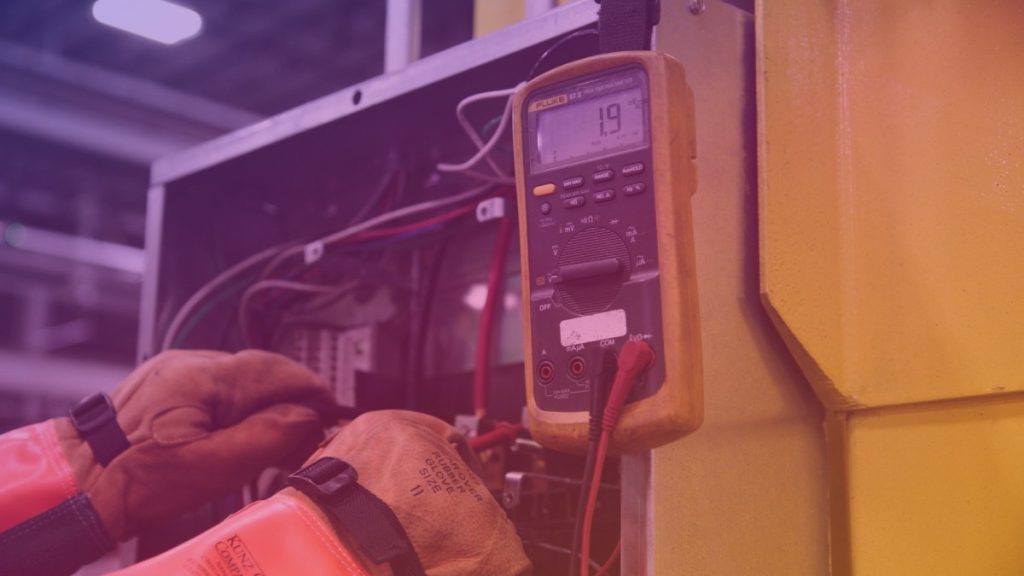
A small farm should ideally use dedicated circuits designed for the expected load. Sharing mining equipment with refrigerators, heaters, workshop tools or other high-demand appliances can create unpredictable loading and nuisance trips. Dedicated circuits also make shutdowns and troubleshooting more controlled.
All fixed electrical work should be designed and installed according to the rules applicable in the country or region. Circuit breakers, fuses, socket outlets, earthing or grounding conductors and distribution boards must be compatible with the local supply system. A qualified electrician can check conductor sizing, protective devices, phase balance and the condition of the building’s existing installation.
Residual-current protection, known by names such as RCD or GFCI depending on the region, can reduce the risk of electric shock in appropriate installations. It must be selected and installed correctly because some electronic power supplies can affect how protective devices operate. Do not bypass or disable this protection because it trips during normal operation; investigate the cause instead.
Surge protection may also be useful where the local supply is unstable or lightning exposure is a concern. It is not a substitute for correct grounding, overcurrent protection or safe wiring. Devices marketed as surge protectors should be checked for compatibility with the supply and installed according to their instructions.
Choose Cables, Plugs and Power Supplies Carefully
Use cables with the correct voltage, current, temperature and environmental ratings. A cable that physically fits a connector is not necessarily safe for the intended load. Manufacturer-supplied cables are generally the safest starting point, especially for high-power connections between a power supply and mining hardware.
Do not replace a fuse with a higher-rated fuse, force an incompatible plug into a socket or use damaged connectors. Avoid low-quality adapters and unverified replacement cables from unknown sources. Connector resistance can create heat, so a connection may become dangerous even when the cable itself appears undamaged.
Inspect plugs, sockets, terminal blocks and power distribution units regularly. Signs of concern include browning, melted plastic, a burning smell, buzzing, crackling, intermittent power or a connection that feels warmer than comparable connections. Shut down the affected equipment safely and have the cause assessed rather than simply replacing the visible part.
Plan Cable Management Around Airflow and Access
Route power and data cables so they do not block miner intakes, exhausts or cooling fans. Avoid pressing cables against hot surfaces, sharp metal edges or moving fan blades. Where cables pass through metal panels, use suitable glands, bushings or protective edging to prevent insulation damage.
Keep high-voltage power cables separate from low-voltage data and control cables where practical. This can make troubleshooting easier and may reduce unwanted interference. Do not bundle cables so tightly that heat cannot escape, and do not use cable ties in a way that crushes insulation or places constant stress on connectors.
Leave enough slack for equipment servicing, but avoid loops lying on the floor. Raised cable trays, hooks and properly secured vertical routes can reduce trip hazards and protect wiring from water, dust and accidental impact. Label both ends of important power and network cables so that equipment can be isolated quickly during maintenance.
Control Heat, Dust and Moisture

Electrical safety and thermal management are closely connected. Mining hardware converts much of its electrical input into heat, while dust restricts airflow and can accumulate inside fans, power supplies and connectors. Clean filters and ventilation paths on a planned schedule, with the equipment powered down and isolated before internal cleaning.
Keep water sources, condensation and wet cleaning materials away from energized equipment. In humid environments, consider how temperature changes can cause condensation, particularly when cool air meets warm hardware. The mining area should have adequate ventilation and should not be used to store combustible materials near power equipment.
Temperature monitoring can help identify developing problems, but sensors are not a replacement for physical inspections. Monitor unusual temperature changes at outlets, distribution equipment and power connections, and investigate differences between similar circuits. Never cover a hot connector or place insulation around it to hide the problem.
Create a Shutdown and Inspection Routine
Every operator should know how to disconnect the farm safely. Clearly label breakers, emergency isolation points and equipment groups. Keep access to the electrical panel unobstructed, and make sure everyone responsible for the farm understands which circuits control which devices.
Inspect cables, plugs, sockets, fans, distribution units and mounting points at regular intervals. Look for looseness, abrasion, heat damage, dust, corrosion and signs of pests. Record recurring breaker trips or equipment restarts instead of treating them as minor inconveniences.
Keep suitable fire extinguishing equipment accessible and confirm that it is appropriate for electrical fires and the local environment. If there is smoke, arcing, a strong burning smell or visible melting, disconnect power only if it can be done safely, evacuate the area when necessary and contact emergency services or a qualified professional.
Conclusion
A safe small mining farm begins with realistic load planning, correctly rated circuits and reliable protective devices. Cable management then supports that design by protecting insulation, preserving airflow, reducing trip hazards and making faults easier to find.
Use compatible equipment, avoid improvised adapters and daisy-chained power strips, keep electrical connections cool and dry, and inspect the installation consistently. General guidance cannot replace local code requirements or a professional electrical assessment, particularly when adding dedicated circuits or changing the building’s distribution system.
Frequently Asked Questions
Can I run several miners from one household outlet?
It depends on the outlet, circuit, supply voltage, wiring, protective devices and the combined continuous load. Do not decide based only on the number of available sockets. Have the circuit assessed and calculate the total input demand before connecting multiple miners.
Are power strips safe for a small mining farm?
Power strips may be suitable for low-power accessories when they are correctly rated and used according to their instructions. They are not a solution for distributing large continuous mining loads. Never daisy-chain power strips, overload them or use models with damaged plugs, loose sockets or inadequate cable ratings.
Should mining power cables be bundled together?
They can be routed neatly, but tight bundling can retain heat and place stress on connectors. Keep bundles loose enough for ventilation, avoid sharp bends and separate cables from hot surfaces. High-current cables deserve particular attention because their connections and surrounding air can become warm during continuous operation.
What should I do if a connector becomes hot?
Treat unusual heat as a warning. If safe, shut down and isolate the affected equipment, then inspect the plug, socket, cable and terminal for looseness, contamination, damage or incompatibility. Do not continue operating the connection or simply fit a replacement without identifying the underlying cause.